For Gmail and Apple Mail · Early access

Know who you are writing to. Know when they read it.

Strezia Mail sits right next to Gmail in Chrome and next to Apple Mail on Mac. Select an email and see the person, your history, open deals and what to do next. Track opens and clicks, get reminded when nobody replies and let AI polish your text.

Free during early access. No card needed. Gmail in Chrome, or Apple Mail on macOS 13 or later. One license covers both.

How it works

Select. See. Send.

No new inbox to learn. You keep Gmail or Apple Mail and the accounts you already have.

Select an email

Click any email in Gmail or Apple Mail, or start writing a new one. Strezia Mail follows along.

See the whole picture

The person, the company, open deals, tasks, notes and every email to and from them.

Act in one click

Reply with AI, add a task, set a reminder or move the deal forward. Tracking is added when you press Send.

Why Strezia Mail

Stop juggling five tools around your inbox

The usual way

  • Copy the email address into a CRM in another tab
  • Guess whether they read your proposal
  • Keep reminders on sticky notes or in your head
  • Paste the email into ChatGPT and back again
  • Pay for a tracker, a CRM and an AI tool separately

The Strezia Mail way

  • The person and the deal appear next to the email
  • You see when it is opened, on which device, and what was clicked
  • A reminder comes if nobody replies
  • Press Write and your reply is ready, in your words
  • One app, from $4 a month

Your inbox is where the work happens. So that is where your CRM should be.

Open and click tracking

Know when they read it

Strezia Spårning, a small Mail extension that comes with Strezia Mail, adds tracking when you press Send. Built on Apple's own MailKit, so it does not slow Mail down.

  • Opens, device, rough location and clicked links next to the email
  • A Mac notification the moment someone opens or clicks
  • Reminder if nobody replies, after 1 to 7 days
  • Turn tracking on or off per email with the eye next to From
  • Block other senders' tracking pixels in email you receive
Strezia Mail showing an email opened three times and a link clicked

AI that keeps your point

Write what you mean. Press Write.

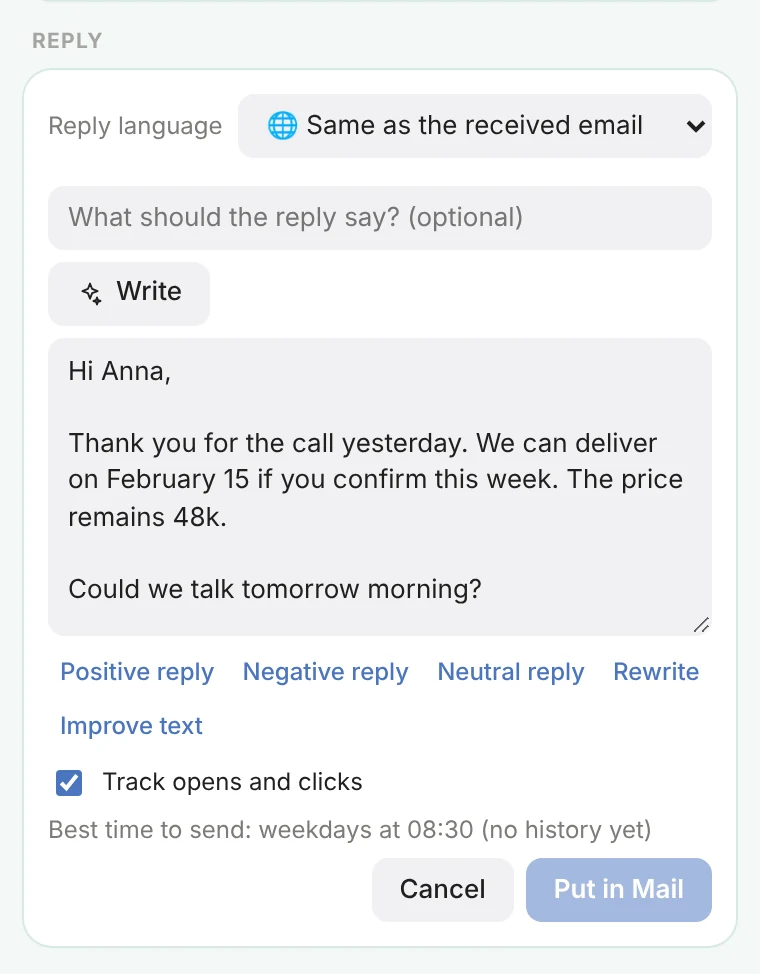
Type it the way you would say it. Strezia Mail turns it into a clear email in any of eight languages, and every point and number stays.

  • Write, improve, summarize and translate
  • Positive, negative or neutral reply in one click
  • Included up to 300 times a month, unlimited with your own key
  • Choose Claude, OpenAI or Gemini. Your text is never stored
Strezia Mail writing a reply in English with tracking on

Everything about the person

The whole picture, next to every email

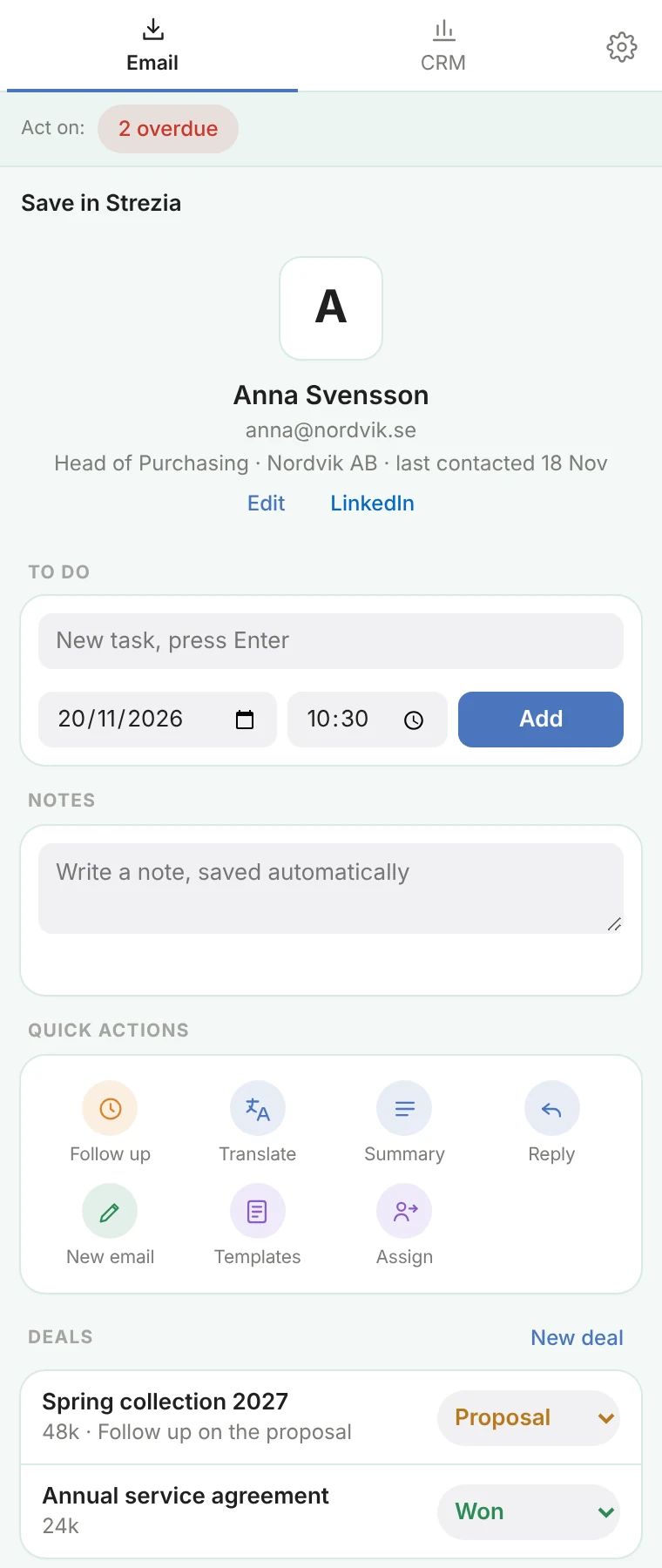
Contact card, company, deals, tasks, notes and your full communication, newest first. Notes save as you type.

  • Add a contact and the details are filled in from the signature
  • Tasks with a link straight back to the email
  • Works for incoming, sent and new emails while you write
Strezia Mail showing a contact, tasks, notes and deals

A CRM that stays simple

Your day at a glance

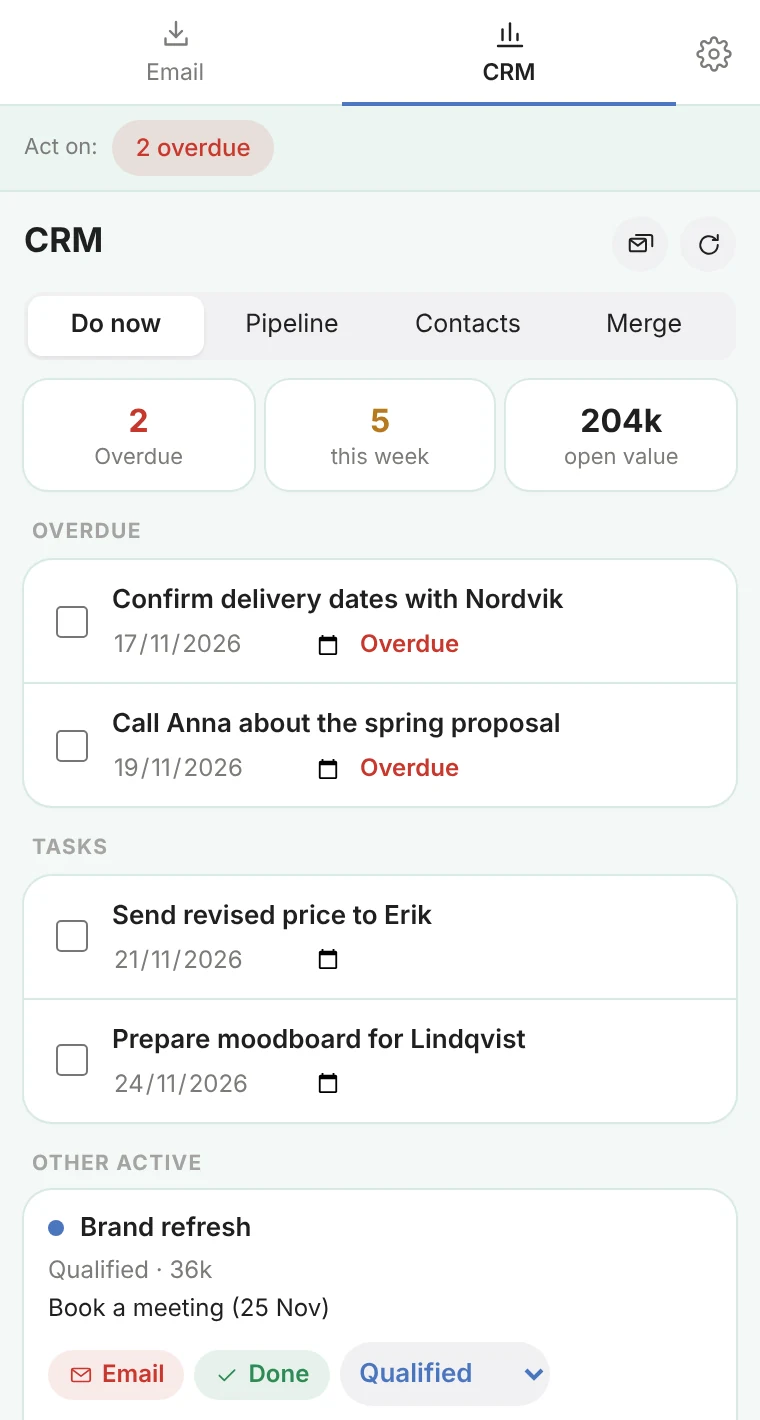
Overdue tasks, deals that need attention and next steps, in one view. Stored by Strezia, or in your own Notion if you prefer.

  • Pipeline with stages, values and next steps
  • Teams with admin rights, and free guests on single deals
  • Export everything as CSV whenever you want
Strezia Mail CRM with overdue tasks and active deals

Included in CRM

Your whole pipeline, in full view

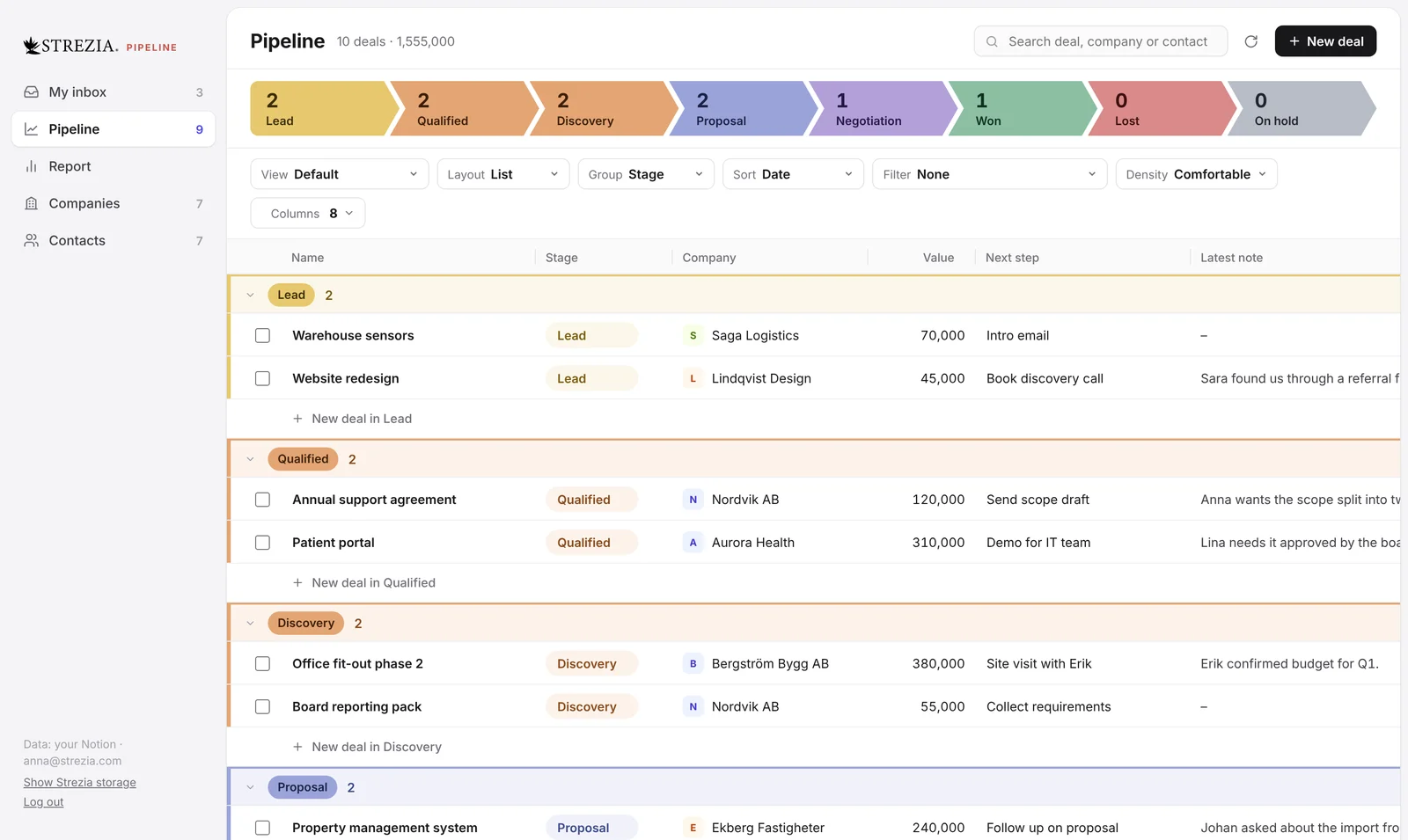
Open the CRM next to Gmail or Apple Mail and see every deal at once. Drag deals between stages, edit any Notion field in place and see every email with a company or a person.

Pipeline as a list grouped by stage

Learn more

Get early access

Leave your email and we send you the download and your invite. You keep Pro for $5 a month when we launch.

Select. See. Send.

Free during early access. Set up in two minutes.

Get early access